How to Connect SPI, AOI, ICT and FCT Data: A Practical Checklist
To connect SPI, AOI, ICT and FCT data, match each record to the correct board, process step and test attempt. Then standardize measurement names, units and timestamps without losing the original results. A shared database becomes useful when an engineer can follow one unit through production and trust every match.
Key takeaways
- Start with one product and a specific investigation question.
- Preserve panel position, board identity, revisions and repeat tests.
- Measure unmatched records before interpreting defect correlations.
Why collecting the files is only the first step
Solder paste inspection (SPI), automated optical inspection (AOI), in-circuit test (ICT) and functional circuit test (FCT) observe different stages of a board’s journey. A solder-volume measurement and a functional failure can be related, but they are not automatically comparable just because their files have been imported.
The integration task is to preserve that journey. If SPI records use a panel identifier and FCT uses a board serial number, the missing link is the panel-to-board mapping. Joining records by time alone can attach the wrong inspection result to a failed unit.
Define the minimum record for each source
| Source | Useful fields | Check before analysis |
|---|---|---|
| SPI | Panel, position, pad or reference, volume, units, timestamp | Can the inspected position be linked to the individual board? |
| AOI | Board ID, component reference, defect call, review result | Are machine calls separated from confirmed defects? |
| ICT | Serial, test name, value, limits, program, attempt | Were limits or test programs changed? |
| FCT | Serial, functional step, result, fixture, attempt, time | Is the original failure retained after a passing retest? |
Also retain product revision, line and station identifiers where available. Keep the raw source value alongside the normalized field so an unexpected result can be traced back to its origin.
Build and validate the connections in five steps
- Choose a bounded use case. Use one product family and one recurring failure. Define what decision the connected data should support before adding more sources.
- Map identity across stages. Document how panels, boards, components and assemblies are related. Record missing identifiers rather than quietly guessing them.
- Align event time. Distinguish production time from file-import time. Confirm time zones and clock offsets, especially where equipment is not synchronized.
- Normalize meaning. Align units and parameter names, but keep different revisions or test definitions distinguishable. Two fields called “voltage” may refer to different test points.
- Reconcile the result. Compare source counts with imported events, then manually trace a sample of passing, failing and reworked units. Investigate duplicates and unmatched records.
A practical example: a failure found at FCT
Consider an illustrative investigation into intermittent FCT failures. The team first links failed boards to their ICT attempts, reviewed AOI calls and upstream SPI measurements. It then compares failed boards with passing boards of the same product revision and production period.
If failures appear more often at a particular panel position, that is a useful lead. It is not proof that printing caused the defect. Fixture behavior, component lots and inspection coverage still need checking. A controlled engineering check should test the proposed mechanism before a production change is approved.
This is where cross-system root-cause analysis can help organize the evidence. The quality of the conclusion still depends on reliable record matching and engineering validation.
What should a pilot demonstrate?
Ask the pilot team to reconstruct one unit’s history without manually combining spreadsheets. Track the share of records matched, the reasons records remain unmatched and the time needed to assemble an investigation dataset. Agree acceptance criteria with the people who own the source systems.
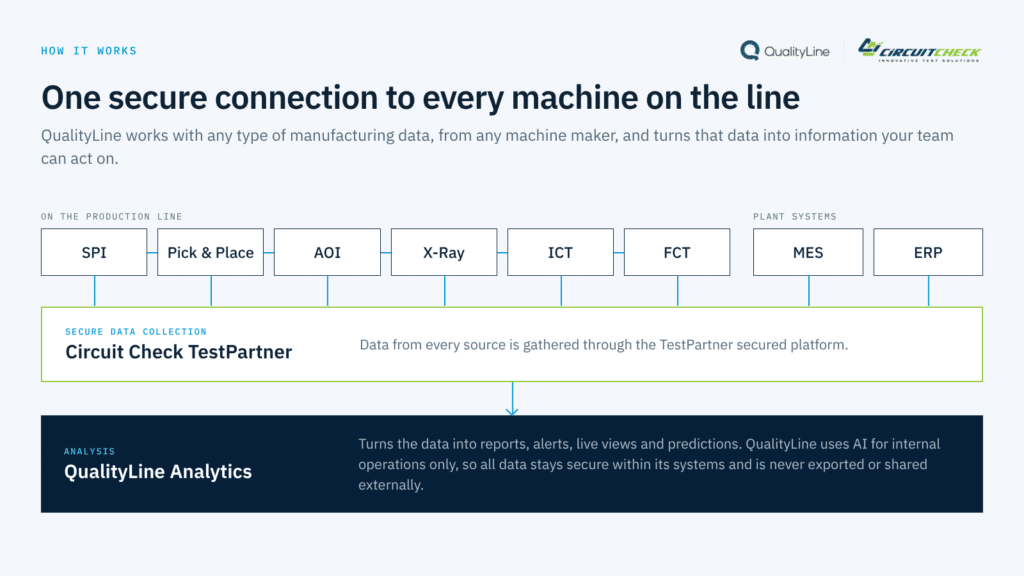
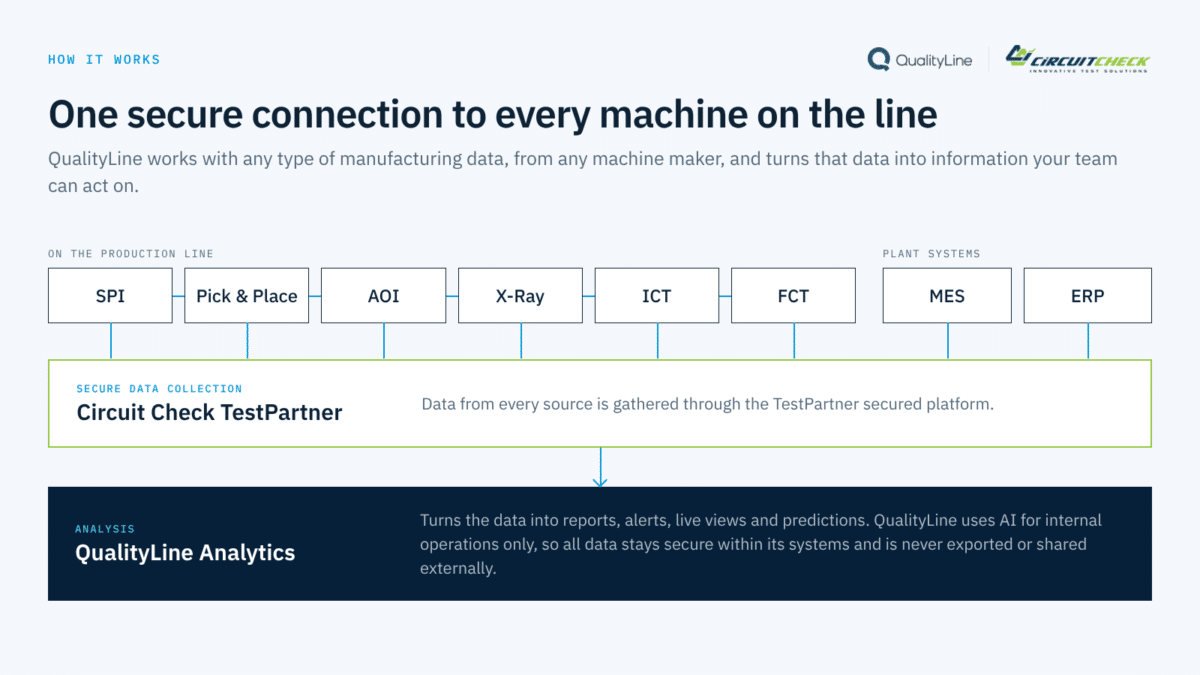
QualityLine’s manufacturing data integration offering connects and harmonizes existing production sources. Start the discussion with actual source formats and a defined use case so the required mappings can be assessed.
Frequently asked questions
Do all machines need the same serial-number format?
No. Different identifiers can be mapped if a reliable relationship exists. If that relationship was never recorded, mark the gap and improve future capture rather than treating a guessed match as fact.
Can we start without an MES?
Yes. Inspection and test exports can support a focused pilot. MES data can add routing and genealogy context when it is available.
Should retests be removed as duplicate records?
No. Retests are separate events. Remove true duplicate imports, but retain each genuine attempt with its sequence and outcome.
Your next step
Select one recurring failure and collect the corresponding inspection, test and repair records. Explore QualityLine’s data integration approach and use the demo form to discuss how those sources could be connected.
See QualityLine in action. Book a free 30-minute demo.